

/app/shortlinks) is the home for finding and managing links.
Browse and filter
1
Open Shortlinks
Select Shortlinks in the sidebar.
2
Sort and page
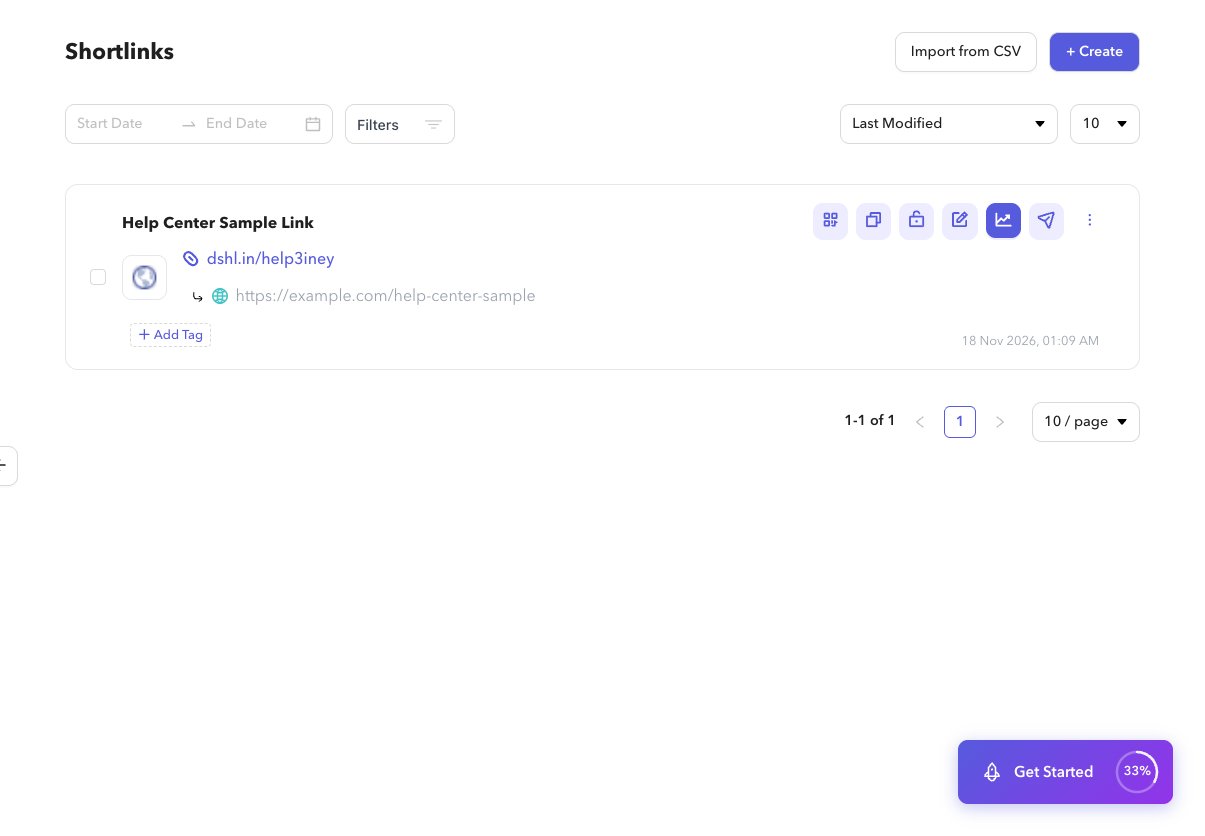
Sort by Last Modified or Most Recent, set rows per page, and move through pages. Filters sync into the URL.
3
Use advanced filters
Open advanced filters for status (Active/Disabled), password, dynamic routing, expiration, custom preview, UTM, QR, destination type, and tags.
4
Open a link
Select a row to open per-link analytics, or use row actions for copy, share, edit, QR, and more.
Bulk disable or delete
1
Select rows
Use the checkbox on each row (or long-press on mobile).
2
Choose an action
Use the action strip to Disable or Delete. Confirm in the sheet that appears.