Prerequisites
- You are signed in to an organisation with Shortlink capacity remaining on your plan.
- Optional features (custom domain, routing, password, expiration, preview image, UTM, QR) appear only when your plan includes them.
Steps
1
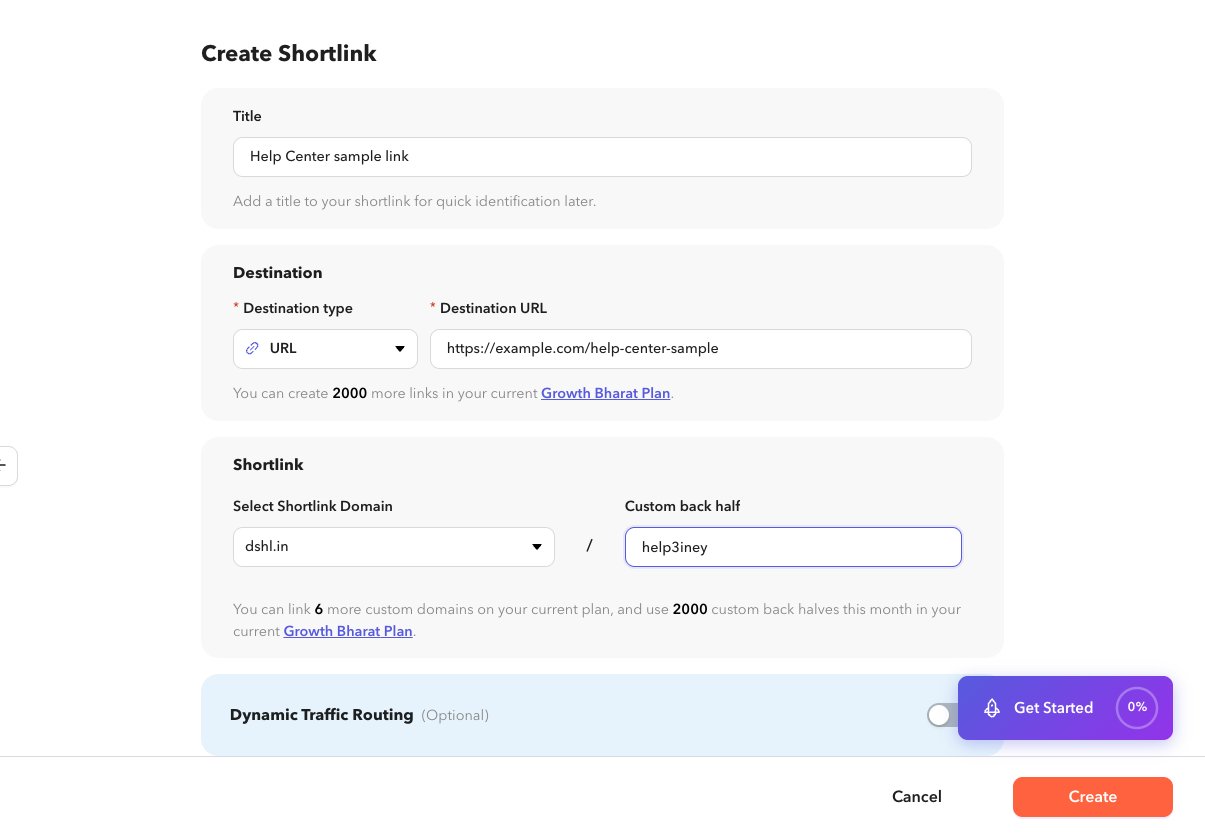
Open Create Shortlink
Go to Shortlinks in the sidebar, then choose + Create, or open
/app/shortlinks/create. You can also use Create Shortlink from Home.2
Set a title (optional)
Enter a title so the link is easy to find in the list. The title is not shown to people who click the link.
3
Choose a destination
Select a destination type and fill the fields. See Destination types.
4
Choose domain and path
Select the shortlink domain and optionally a custom back half. See Domain and back half.
5
Configure optional sections
Expand any of: dynamic routing, password, expiration, link preview, UTM analytics, or QR code. Each has its own Help article.
6
Create
Select Create. Dashlink saves the link and returns you to the list or details view for that shortlink.