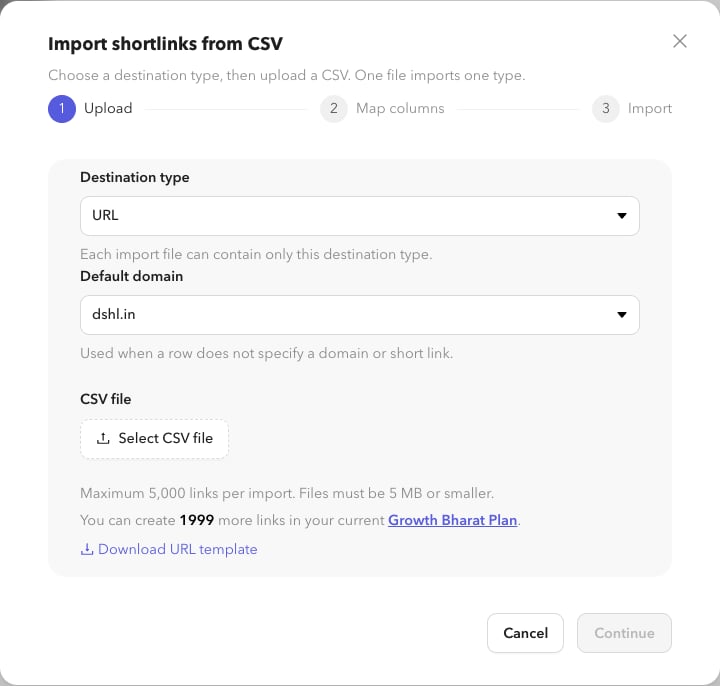
From the Shortlinks list
1
Open import
On
/app/shortlinks, choose Import from CSV.2
Choose destination type and upload
Pick the destination type for the file, download a template if needed, then upload the CSV (size and row limits are shown in the modal).
3
Map columns
Match CSV columns to Dashlink fields (destination, back half, password, expiration, UTM, tags, and type-specific fields).
4
Review the summary
Confirm the import summary and start the job.
From Settings
1
Open Bulk import
Go to Settings → Bulk import (
/app/settings/bulk-import).2
Start or monitor jobs
Start a new import with the same wizard, or review job history: status, counts, copy job ID, download error CSV, or cancel an in-flight job.